Many modern RVs come with a pre-installed Winegard antenna. If you are interested in adding to or upgrading the Winegard’s mobile internet capabilities, a new router is often all that is needed to maintain connectivity in remote areas and achieve higher speeds.
These models do not include a router. While Winegard’s Gateway routers provide the easiest upgrade installation, much more capable routers are available.
Air 360+ V2.S This antenna module includes an OTA TV antenna, 2x 4G LTE cellular antenna elements, and 1x Wi-Fi antenna element. Compatible routers will be those designed for 4G LTE.
Air 360+ 5G This antenna includes an OTA TV antenna, 4x 5G/4G LTE cellular antenna elements, and 1x Wi-Fi antenna element. Compatible routers include those designed for 1x 5G connection or dual-cellular routers designed for 4G LTE.
Would you like to know more? See Mobile Internet Resource Center’s Air 360+ Review
Antenna + router combo models: ConnecT series
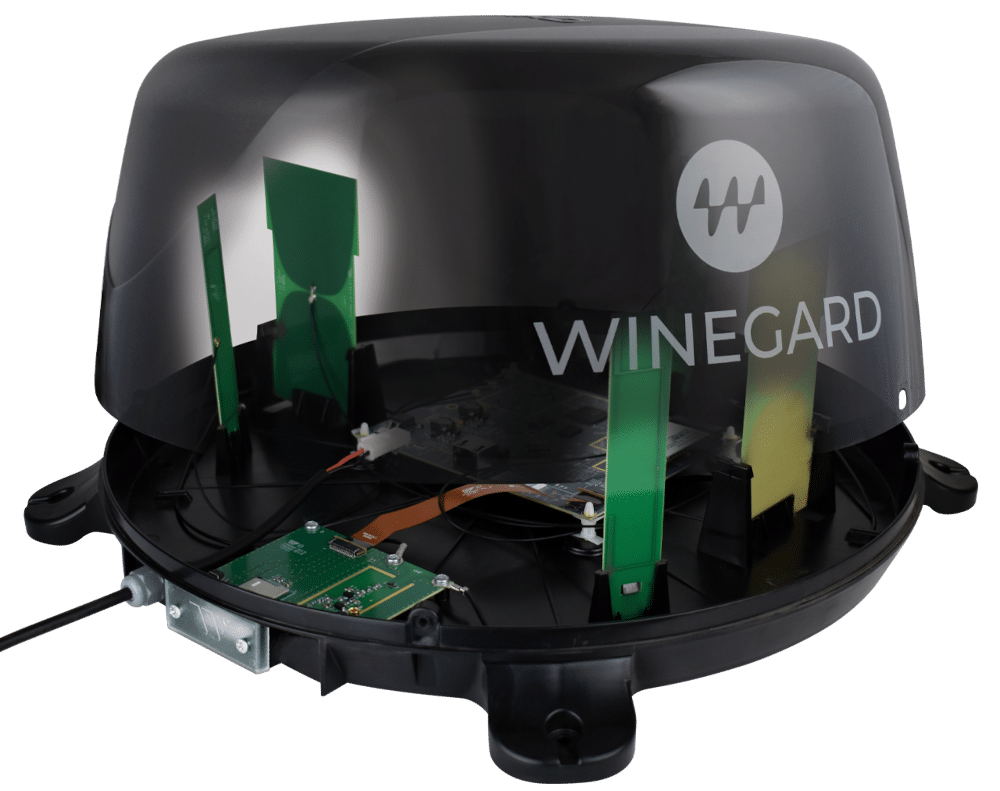
These models include both antennas and an integrated router with a CAT-4 cellular modem. Upgrading the router involves disassembly of the antenna dome.
ConnecT 2.0 4G This device includes 2x 4G LTE antenna elements and 3x Wi-Fi antenna elements. Compatible routers are those designed for 4G LTE.
What are some reasons to consider upgrading vs keeping your Winegard ConnecT?
Upgrade
Keep
No ethernet ports for LAN or additional WANs like Starlink
Near zero cable loss due to router/antenna integration
No 5GHz Wi-Fi support
More complex retrofitting process
No carrier aggregation
Would you like to know more? See Mobile Internet Resource Center’s ConnecT 2.0 Review
Improving connectivity with Peplink routers
These routers provide Wi-Fi WAN capability when in range of an RV park’s Wi-Fi and cellular WAN when boondocking. Peplink’s Hot-Failover technology allows seamless connectivity when transitioning between Wi-Fi WAN and cellular connections. All of these routers support carrier aggregation for improved signal strength and speed. They all have multiple LAN ports for wired device connection, as well as ethernet WAN ports for easy Starlink integration.
Mounting screws and other mounting hardware – Depending on your intended mounting location, you may need wood screws, sheet metal screws, or drywall anchors.
Roof sealant – If you need to remove any existing sealant or if you drill any more holes in you RV’s roof.
Optional antenna extension cables – Only if router must be located further away from the antenna (not recommended in most circumstances).
Remove the four T20 screws from the side of the dome, and remove the dome lid. Source: Teee’s Time
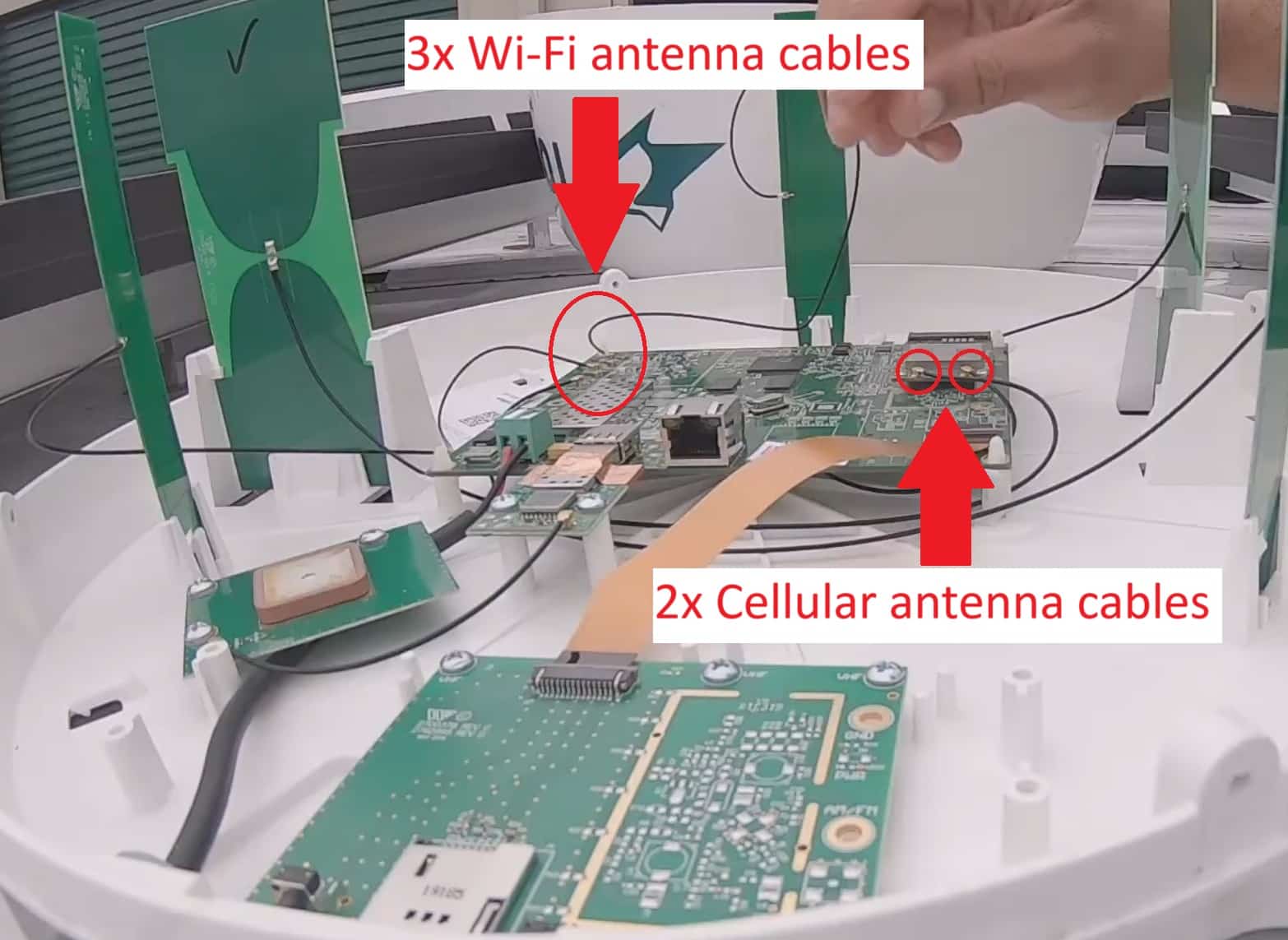
Identify cellular modem and note which antenna cables are connected to it before disconnecting. The other 3 cables are for the Wi-Fi antennas. Disconnect these as well.Source: Teee’s Time4G versions will have 2 cellular antenna cables and 5G versions will have 4.
Remove router PCBs. These are all of the horizontally mounted PCBs. The vertically mounted PCBs are the antennas, which we will be reusing.
Decide where to mount the router.
If your router fits inside the ConnecT dome, you may mount it here to minimize cable loss.
If your router does not fit here, you may need to drill a hole through the roof to mount it on the ceiling below the antenna. Short antenna extension cables may be needed, as well as roof sealant.
Using adapters and optionally extension cables, connect the cellular Wi-Fi antennas to your new router.
U.FL-male to SMA-male adapters for the cellular antennas
U.FL-male to RP-SMA-male adapters for the Wi-Fi antennas
There will be an extra Wi-Fi antenna. For best performance, connect the two Wi-Fi antennas that are furthest apart.
Reassemble dome and apply roof sealant to any new holes.
Considering the benefits of Peplink antennas
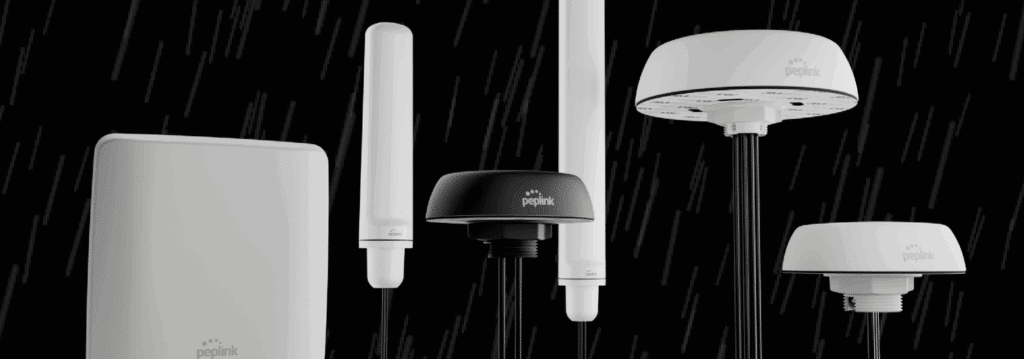
Peplink antennas offer higher gain and are tuned to produce optimal signal strength when paired with a Peplink router. They use low-loss cables to enable longer cable runs and more flexible router placement.
ConnecT series
Since the retrofitting process is already fairly extensive, it may make sense to take this opportunity to also upgrade the cellular antenna. If your ConnecT model does not include an OTA TV antenna, then the whole dome can be removed. If it does have TV reception, then you may want to leave the ConnecT antenna in place. In this case, it is recommended to place the new Peplink antenna at least [some distance] from the Winegard to avoid signal interference.
Air 360 series
Replacing the Air 360 antenna can also be a good idea, especially if you would like the added speed of 5G internet (and do not have the 5G antenna), or you are worried about Wi-Fi performance. Since OTA TV is standard on all Air 360 models, it is recommended to leave your Air 360 installed if OTA TV is desired.